

Envato Elements is a subscription service for designers that includes graphic assets, educational resources, and business management tools. Although they do offer a free plugin for WordPress and Elementor which allows you to install free website templates. Steps on how to go about doing this below.
Step 1:
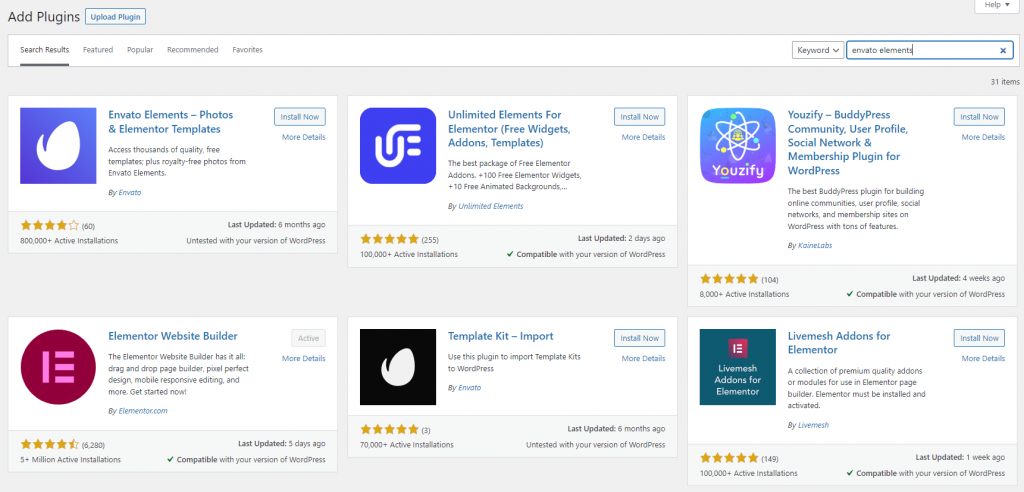
Go to your WordPress dashboard and click on the plugin option, from here click add new. Search for the Envato Elements plugin and install. It’s the first one on the list. Once installed click on activate to activate the plugin.
Step 2:
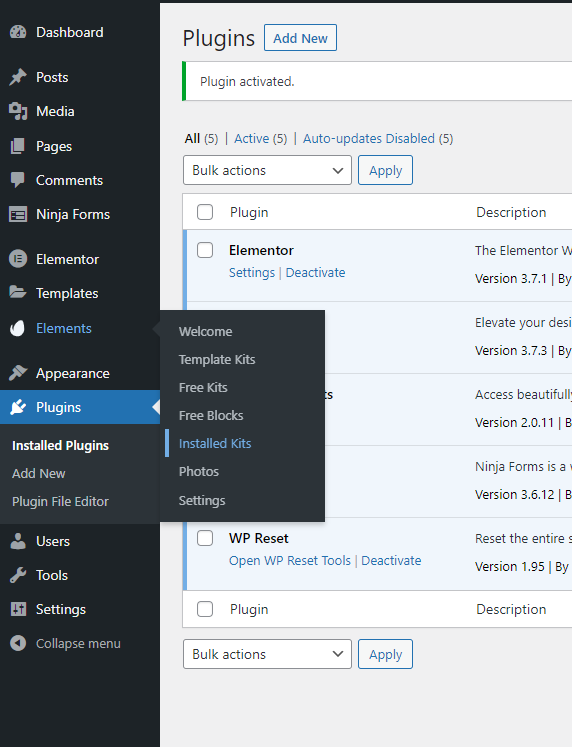
Once installed you will have a new option on your dashboard called Elements as seen in the screenshot below. Click on installed templates under the Elements tab on your WordPress dashboard.
Step3:
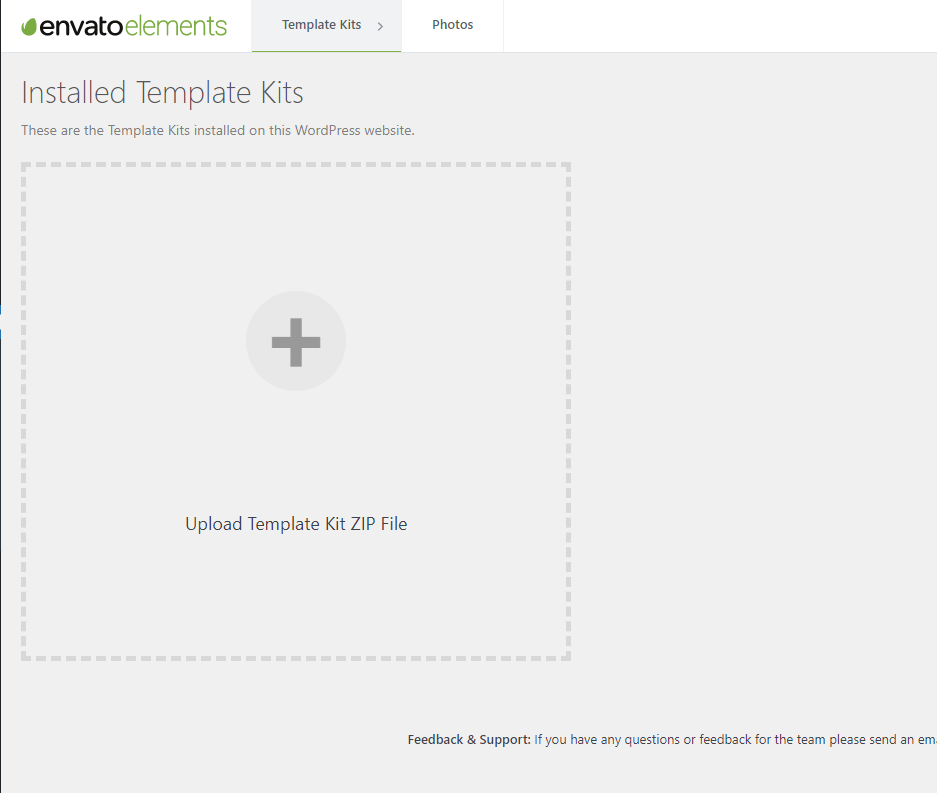
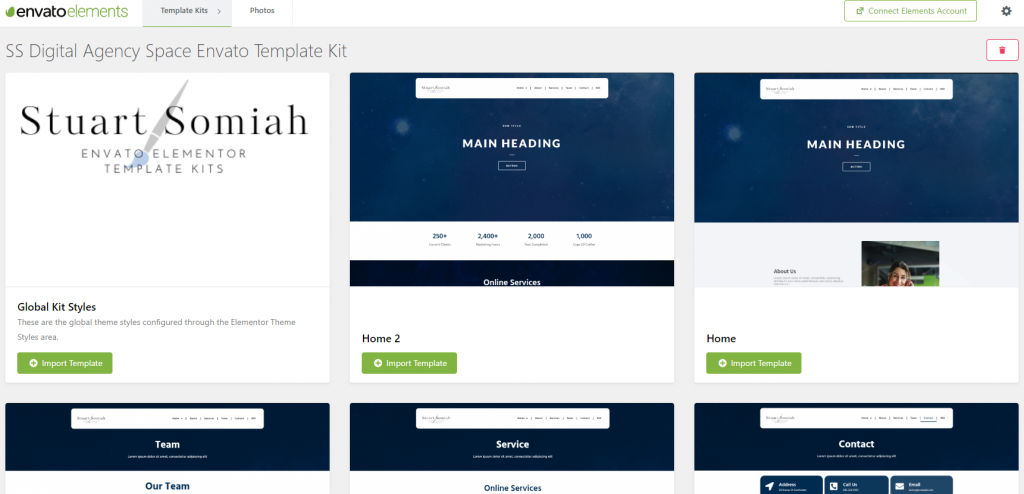
Click inside the box select your zipped file that you have downloaded from Envato Elements, once imported you will be redirected to the templates page of which you have installed as shown below in the screenshot, I installed one of my own templates which is available to download for free, links at the end of the blog post.
Step4:
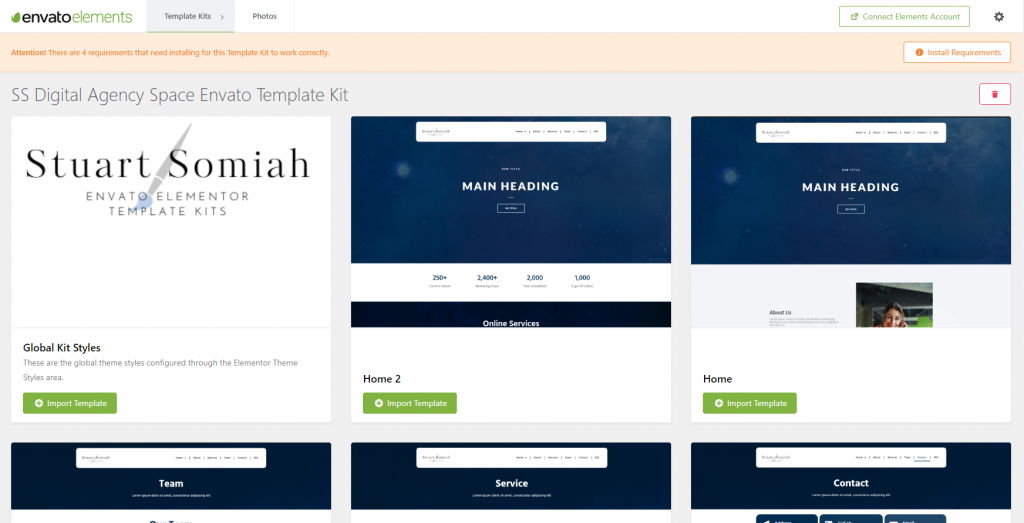
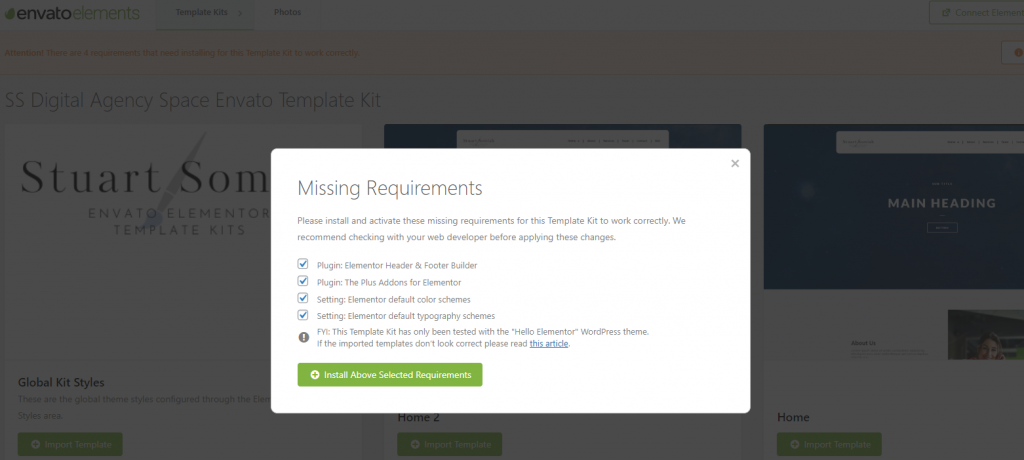
You will notice an orange bar at the top with a button called install requirements, click this button as it will install all the necessary plugins that the template requires for it to work properly
Step5:
Click install above selected requirements and all plugins that are required will be installed.
Step6:
Once plugins are installed you are ready to import the templates into your pages.
Bonus:
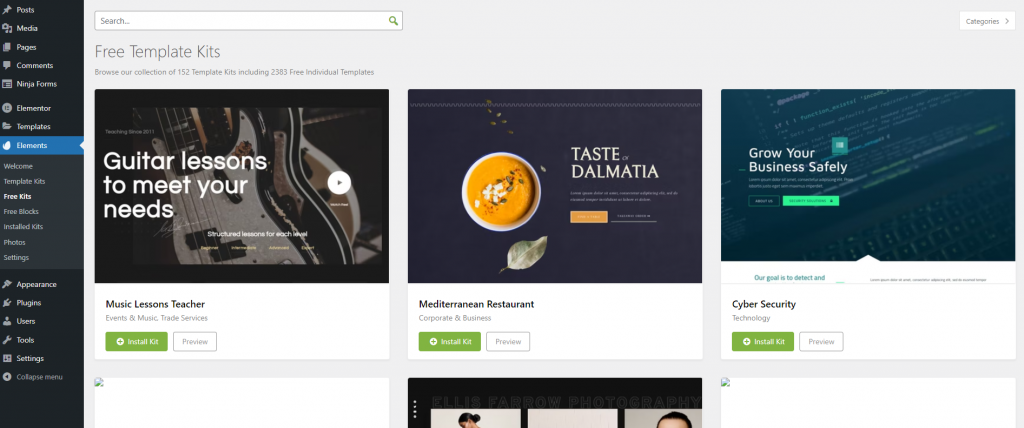
The Envato Elements plugin also comes will a ton of free templates that you can import directly from the plugin. To do this click the free template option under the elements option in your WordPress dashboard and install a kit you like. Go to the installed kits option after installing to view all your installed kits.
To download my free templates, click the link below. I currently have 2 free templates kits and will be creating more soon. You can view the demos of the templates and download them from the link below.
Remember to subscribe to my LinkedIn Newsletter.